



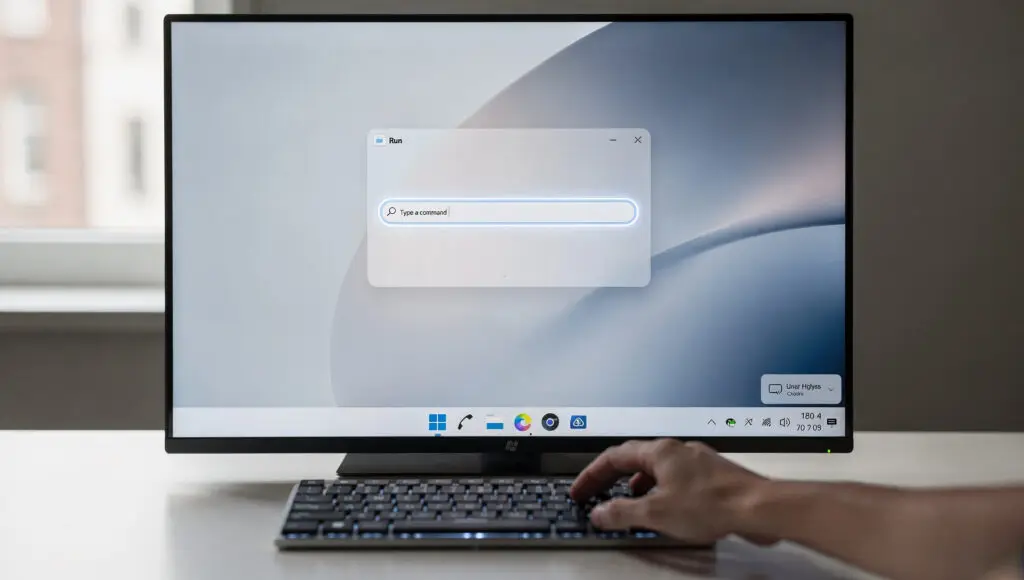
Windows 11 Tests New Modern Run Box Design
Microsoft is testing a new Run box for Windows 11 users that has some cosmetic modifications. The functionality is still buried in current releases, but it shows that Microsoft is still working toward making interfaces more consistent.
The traditional Run box has been there for decades and hasn’t changed much since it added dark mode support. Its core functions still work, but modernization implies that it will grow in the future along with the intentions for the system as a whole.
Hidden Feature Appears In Build 26534
According to verified tester reports online, the new Run dialog shows up in Windows 11 build 26534. Early findings suggest that successive builds may also have the functionality, although it will be turned off by default at first.
Microsoft hasn’t publicly said anything about the feature, so customers don’t know what the company’s long-term ambitions are. As work goes on and interface changes are made, testers expect more improvements to come.
The New Run Box Must Be Enabled Through System Settings
Phantom of Earth says that users need to turn on the functionality in the Settings → System → Advanced → Run dialog. This means that Microsoft is currently evaluating the features before making them available to the general audience.
Making the function optional makes it easier for people who like the old tool to utilize it. It also lets those who want early access to new system parts experiment in a controlled way.
Recommended Article: Microsoft Launches Discovery AI to Boost New Jersey AI Hub
Modern Interface Mirrors PowerToys Run Appearance
The new design looks like PowerToys Run, which is more like a full launcher than just a command tool. It lets you search for files, directories, processes, and certain built-in tools right in the UI.
The similarity makes it seem like Microsoft would ultimately think about combining launcher-style operations with system tools. At this point, though, there are no definite specifics concerning additional functionality for the new dialog.
Classic Shortcuts Still Work In The Updated Run Dialog
Early testers say that the new interface still lets you use Ctrl + Shift + Enter to raise instructions to administrator mode. Keeping keyboard shortcuts that people are used to helps power users and administrators work efficiently.
Microsoft is careful about keeping key procedures even when they change the way standard UI elements look. This balance is meant to make users less frustrated while still providing a contemporary look and more features.
Microsoft May Keep Both Run Dialogs Temporarily
It’s still not clear if Microsoft plans to get rid of the original Run box completely or keep both versions available. Many parts of Windows have two versions that work together because changes happen across several development cycles.
Users may choose between modern and traditional layouts based on what they want. In the past, Microsoft has utilized staggered rollouts to see how many people were using a new feature before making big changes to the UI.
Official Announcement From Microsoft Still Pending
Microsoft has not said anything about how the new Run box will work or how it will eventually be integrated. The corporation usually waits until features are stable before saying what the design direction will be or when things will be replaced.
Future upgrades will probably make it clear if the current version will be permanent or just an extra. Microsoft hasn’t officially confirmed the functionality yet, so for now it’s still secret and being tested.